Learn how to automate your social media using Arvow, Blotato, and Claude Code in VS Code. A step-by-step content engine guide for creators in 2026.

Build an Automated Content Engine in 5 Minutes
What if your blog wrote itself, published to your website, repurposed into social posts, and distributed across nine platforms – all without you touching a single button after the initial setup?
That’s not the future. That’s what this four-tool content engine does right now. And the best part? You can have it fully built and running in under five minutes.
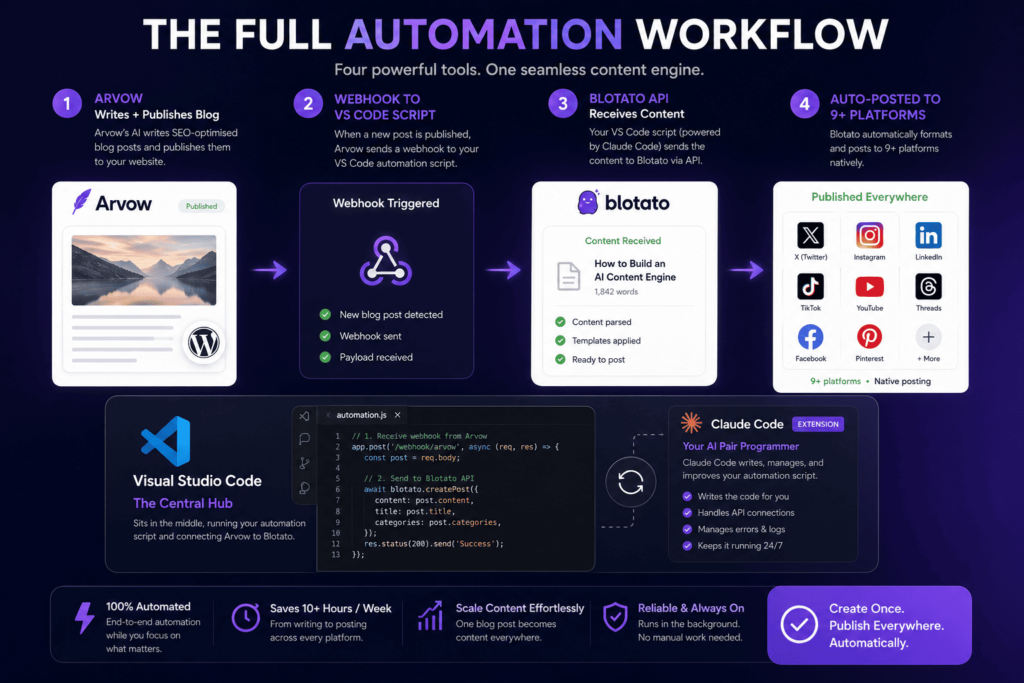
In this guide I’m going to walk you through the exact setup, step by step. Here are the four tools we’re working with:
- Arvow – AI SEO writer that generates, publishes, and auto-indexes blog content
- Blotato – Social media automation platform that repurposes and cross-posts to 9+ platforms
- Visual Studio Code (VS Code) – Free code editor used to manage API connections and automation scripts
- Claude Code – Anthropic’s AI coding agent, installed as an extension inside VS Code, that writes and manages your automation scripts for you
Let’s get into it.
The tools – what each one does
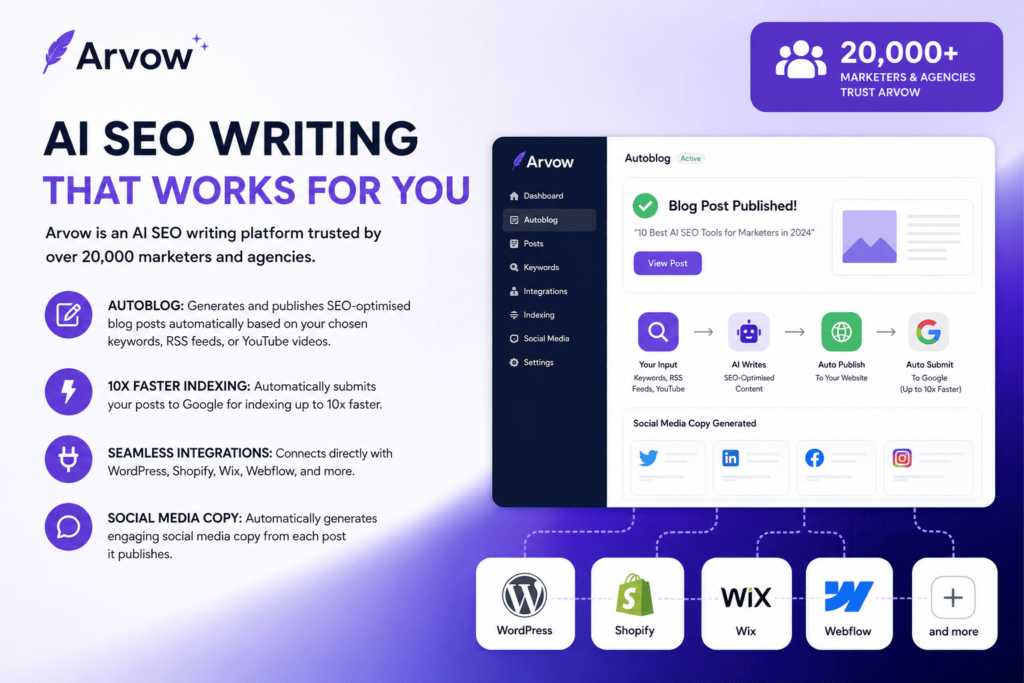
Arvow is an AI SEO writing platform trusted by over 20,000 marketers and agencies. Its Autoblog feature generates and publishes SEO-optimised blog posts automatically based on your chosen keywords, RSS feeds, or YouTube videos then submits them to Google for indexing up to 10x faster. It integrates directly with WordPress, Shopify, Wix, Webflow, and more, and automatically generates social media copy from each post it publishes.
- Writes, publishes, and auto-indexes blog content – completely hands-off.
- AI SEO Agent fixes meta titles, alt text, and internal links automatically.
- Supports 150+ languages – great for international audiences.
- Connects to Zapier and offers a full API for advanced automation.
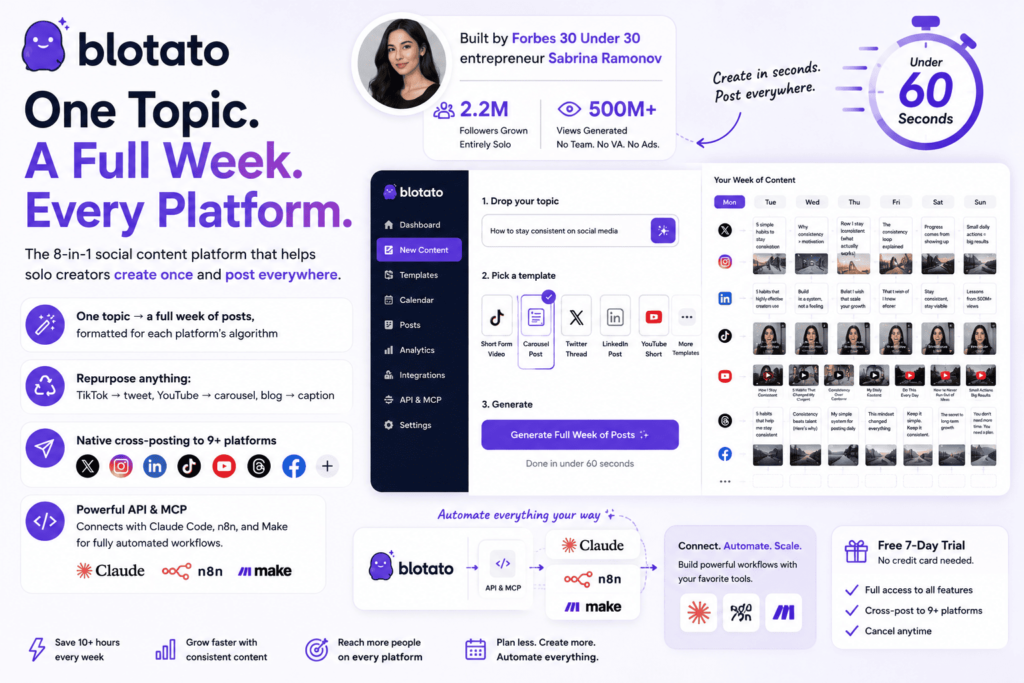
Blotato is an 8-in-1 social content platform built by Forbes 30 Under 30 entrepreneur Sabrina Ramonov, who used it to grow 2.2 million followers and 500 million views entirely solo – no team, no VA, no paid ads. Drop a topic, pick a template, and get a full week of platform-optimised posts in under 60 seconds. It cross-posts natively to 9+ platforms and has a powerful API and MCP that connects directly with Claude Code, n8n, and Make for fully automated workflows.
- One topic → a full week of posts, formatted for each platform’s algorithm.
- Repurpose anything: TikTok → tweet, YouTube → carousel, blog → caption.
- Native cross-posting to X, Instagram, LinkedIn, TikTok, YouTube, Threads, Facebook, and more.
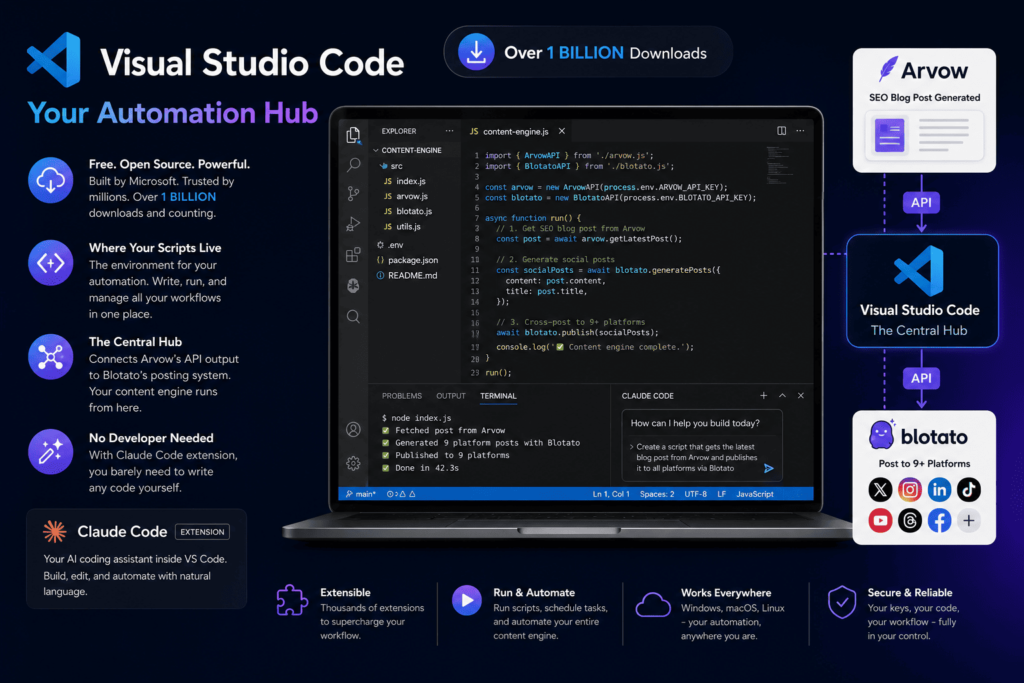
Visual Studio Code is a free, open-source code editor from Microsoft with over a billion downloads – and it’s the environment where your automation scripts live. For this content engine, it’s the central hub connecting Arvow’s API output to Blotato’s posting system. You don’t need to be a developer to use it here – and with Claude Code installed as an extension, you barely need to write any code yourself.
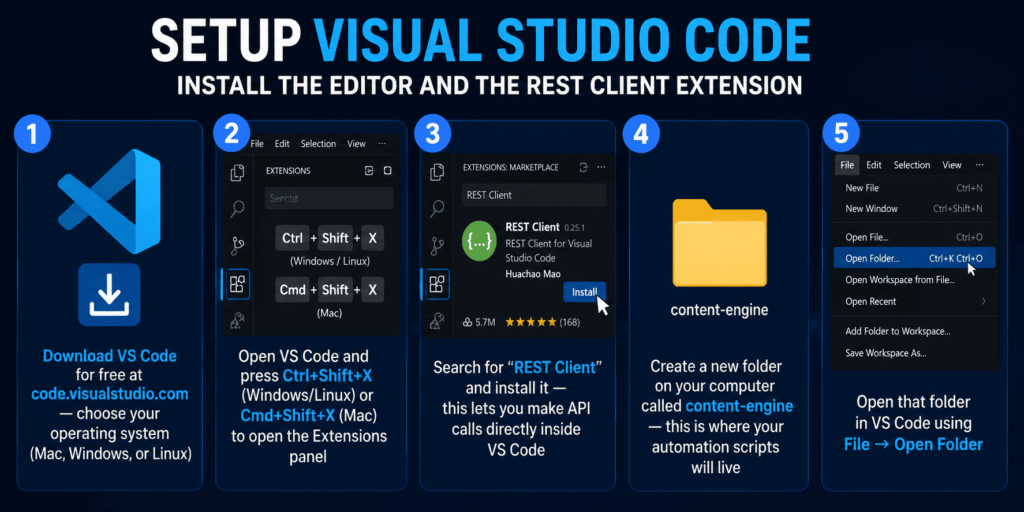
- Free to download at code.visualstudio.com.
- Install the REST Client extension to make API calls directly inside the editor.
- Manage your Blotato API scripts and Arvow webhook triggers from one place.
- The official Claude Code extension requires VS Code version 1.98.0 or higher.
Claude Code Code in Visual Studio Code is Anthropic’s AI coding agent – and when installed as an extension inside VS Code, it becomes the most powerful part of this entire setup. It reads your files, writes your automation scripts, fixes errors, and connects your tools together – all from a chat panel in your sidebar. For creators building an Arvow-to-Blotato workflow, Claude Code effectively writes the API bridge for you. You describe what you want in plain English, and it builds it.
- Install from the VS Code Extension Marketplace – search “Claude Code” by Anthropic (2M+ installs).
- Shows all code changes as inline diffs before you accept them – nothing gets changed without your approval.
- Highlight any file or script and ask Claude to modify, fix, or explain it – it always has your full workspace context.
- Requires a Claude Pro, Max, Team, or Enterprise subscription, or pay-as-you-go API credits.
- Use Plan Mode to review and approve exactly what Claude intends to do before it takes any action.
Step-by-step setup guide
Configure your AI blog and connect your CMS
- Go to arvow.com and create a free account.
- Head to Integrations and connect your WordPress site (or Shopify, Wix, Webflow, etc.) – takes about 60 seconds.
- Upload your brand knowledge base so Arvow writes content that sounds like you, not generic AI.
- Set up your first Autoblog – choose a keyword, topic feed, or YouTube channel as your source, then set your publishing frequency.
- Connect Google Search Console under Settings to enable Google Auto-Indexing – your posts get found up to 10x faster.
- Copy your Arvow API key from the account settings – you’ll need this for the VS Code script.
Connect your platforms and build your posting calendar
- Go to blotato.com and start your free 7-day trial.
- Connect all your social accounts: X, Instagram, LinkedIn, TikTok, YouTube, Threads, Facebook.
- Set up your content calendar with your preferred posting times and daily frequency.
- Explore the Viral Templates — drop a topic and preview how it generates a full week of posts instantly.
- Go to Settings → API and copy your Blotato API key – this is the key your VS Code script will use to send posts automatically.
💡 Already using Arvow or Blotato? Drop a comment below and tell us how you’re using it – we’d love to feature your workflow in a future post.
Add the AI agent that writes your automation scripts for you
- In the VS Code Extensions panel (Ctrl+Shift+X / Cmd+Shift+X), search for “Claude Code”
- Install the official extension by Anthropic – it has over 2 million plus installs and a verified publisher badge.
- Once installed, click the Claude Code spark icon (✱) in the bottom-right corner of VS Code to open the chat panel.
- Once signed in, you’ll see the Learn Claude Code checklist – you’re ready to go.
Now here’s where it gets powerful. Instead of manually writing the script that connects Arvow to Blotato, simply tell Claude Code what you want in plain English, for example:
Prompt: “Write a script that listens for a webhook from Arvow when a new blog post is published, extracts the title and URL, and sends a POST request to the Blotato API to create a new scheduled post with that content.”
Claude Code will read your workspace, write the script, show you the changes as an inline diff, and wait for your approval before saving anything. You review it, accept it, and your automation is live.
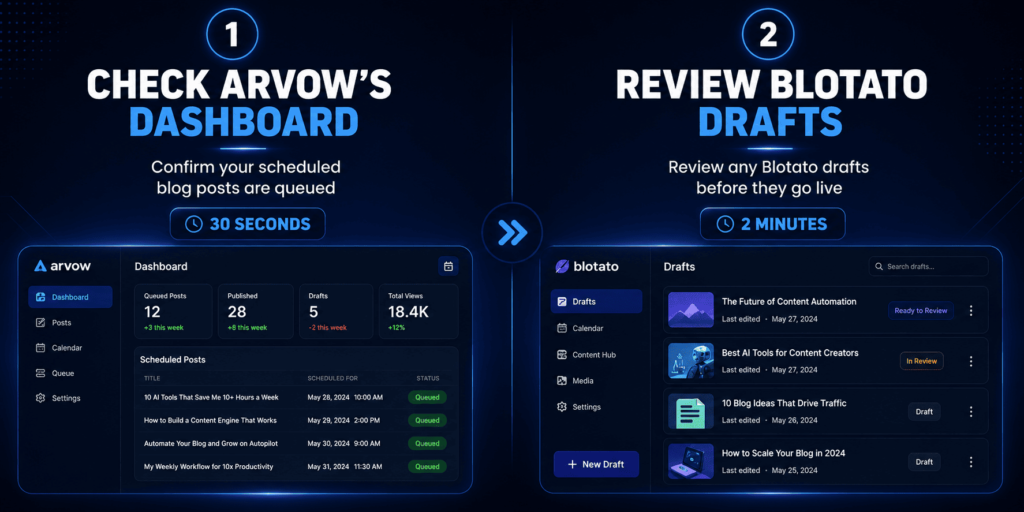
Everything else runs on autopilot – here’s all you do each day
You now have the exact tools, the exact steps, and the exact workflow to automate your social media content in 2026. The only thing left is to start. Set up Arvow today. Get Blotato running tomorrow. Install Claude Code in VS Code by the end of the week. By the time Friday arrives, your content engine will be live – and you’ll never go back to posting manually again.